
No app to install
A link or QR code opens the price checker on a smartphone. Scan with the camera or type a barcode. Available in Russian, Kazakh and English.
Give shoppers more than a price — give them a reason to buy. The online price checker brings special offers and product recommendations to their phones, with terminals and one dashboard completing the system.
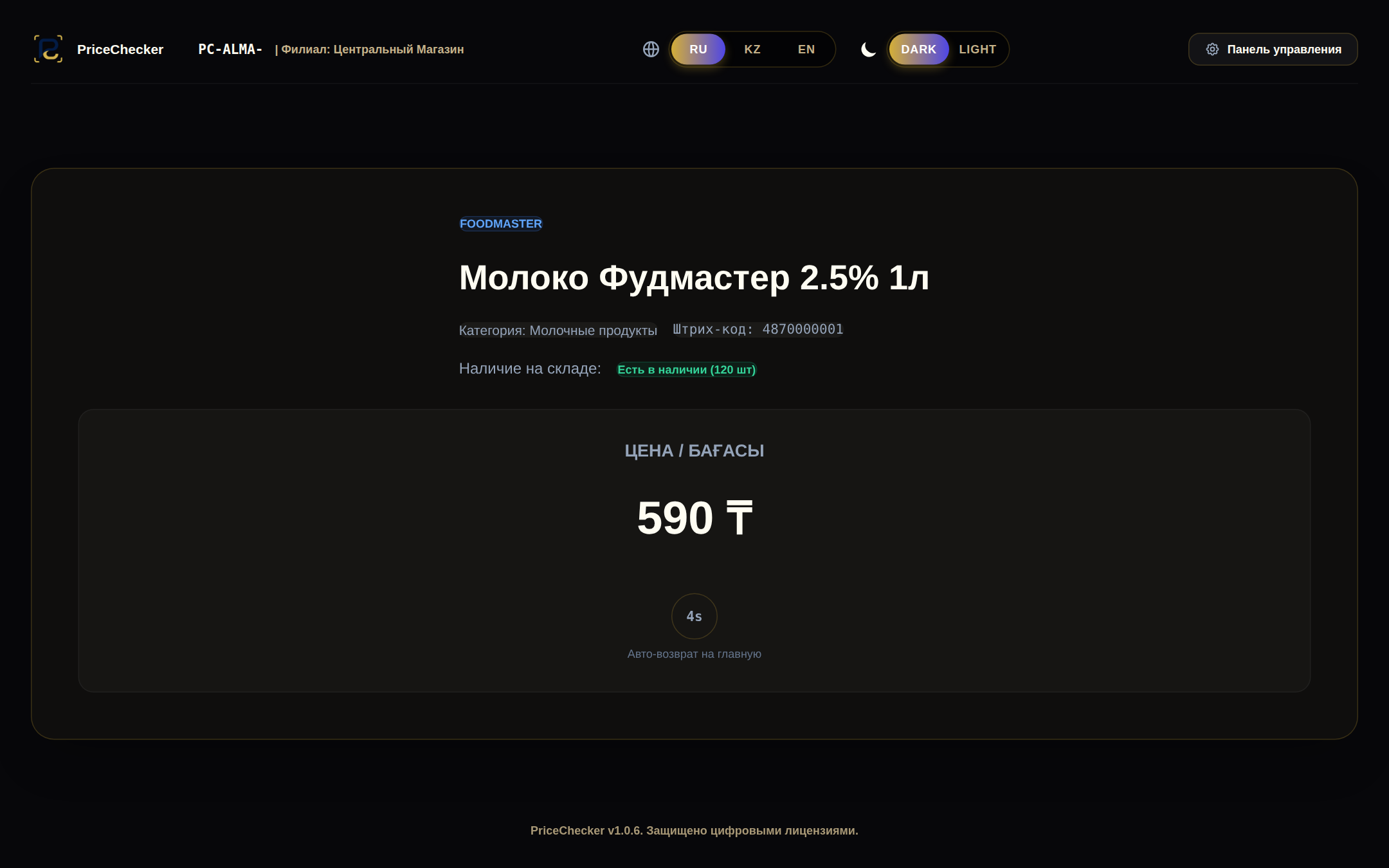
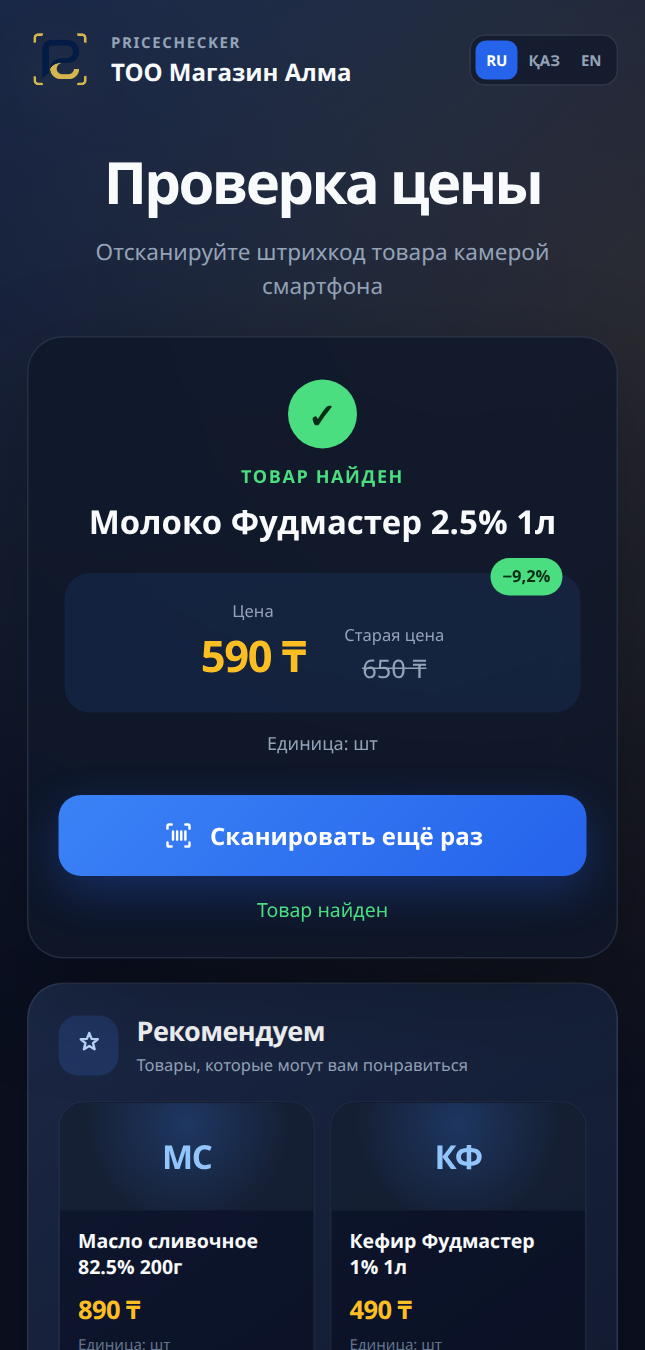
Application screenshots with a demo catalog · Russian interface
A price check does not have to end at the price. Make savings clear, bring special offers into view and introduce more of your store’s products while the shopper is already interested.
Shoppers see the current price and, when discounted, the previous price and percentage saved. The offer is easy to understand without asking a member of staff.
After a successful search, the “Special offers” section shows up to four deals from your store. Shoppers may discover a good offer they had not planned to look for.
Up to four recommendations from your catalog appear alongside the result, prioritizing the same category. A chance to draw attention to additional products.
Help shoppers move toward a purchase with clear value: an up-to-date price, a visible saving and useful offers.
A link or QR code opens the price checker on a smartphone. Scan with the camera or type a barcode. Available in Russian, Kazakh and English.
Set a product’s previous and current prices. If the current price is lower, the active product becomes eligible for the automatic special-offers selection.
Online scan analytics highlight popular products, busy hours and searches with no result, helping you make informed assortment decisions.
You can restrict access to within 100 metres of configured store locations. Shoppers confirm their location in the browser.
The online price checker can be purchased without terminals. One catalog for price checks, special offers and recommendations.
An internet connection is required. Selections appear after a successful lookup when eligible active products are available. The online price checker is a separately paid subscription.
A dedicated store terminal or the shopper’s own smartphone. Choose the setup that fits your store, or use both.
The Windows application turns a screen and barcode scanner into a convenient price-checking point.
No card required · 1 company · 1 terminal
Price checking and product discovery on the shopper’s phone. Make savings visible and draw attention to more of your store’s products.
Application screenshots with a demo catalog · Russian interface
Your catalog, locations, staff, licenses and statistics in one secure web dashboard.
PriceChecker fits into your store’s existing workflow and helps your team keep prices up to date.
Find your planImport an Excel file, add products manually or connect your inventory system through the API.
Assign terminals to store locations. If you add the online price checker, display its QR code in the store.
Update prices, manage licenses and understand shoppers’ interest from the web dashboard.
The terminal uses a local catalog within your plan’s offline allowance. You can sync the catalog when the connection returns.
Russian, Kazakh and English are available on the terminal and in the online price checker.
The optional API service lets you update prices, previous prices and stock levels in batches.
Plans with analytics include scan statistics: popular products, busy hours and searches with no result.
Compare limits and included features. The online price checker and API are available as separate add-ons.
Add the features that suit the way your store works.
Prices, savings, special offers and recommendations on the shopper’s phone. Available without terminals.
How it supports salesA secure API to update prices and stock from your inventory system.
Software pricing. Selected add-ons are billed separately; hardware and implementation terms are discussed when you get started.
Tell us about your store and we’ll help you choose a suitable setup.
Yes. It is a standalone paid service: shoppers use their own phones and you manage the catalog in the web dashboard. Camera scanning requires camera permission and an internet connection.
Special offers are active products whose previous price is higher than the current price. Recommendations prioritize the found product’s category, then draw from the rest of the catalog. Each section contains up to four products, excluding the scanned product and duplicates between sections.
No. You can import your catalog from Excel, manage it in PriceChecker or sync it through the optional API service.
The terminal keeps looking up products in its local catalog within your plan’s offline allowance. The smartphone price checker requires internet access.
Yes. Choose a plan with the limits and multi-location features you need. Staff access is managed through roles.
No. The online price checker opens from a link or QR code in the browser. Shoppers can scan with the camera or enter a barcode manually.